Groups, roles and schedules
Create groups, assign roles and set lab publication dates. The curriculum, participants and results remain connected in one view.

01 / PRODUCT
The interface is not trying to turn everything into a game. It answers three practical questions: what are we doing, where are we, and who needs support?
01 / LECTURER VIEW
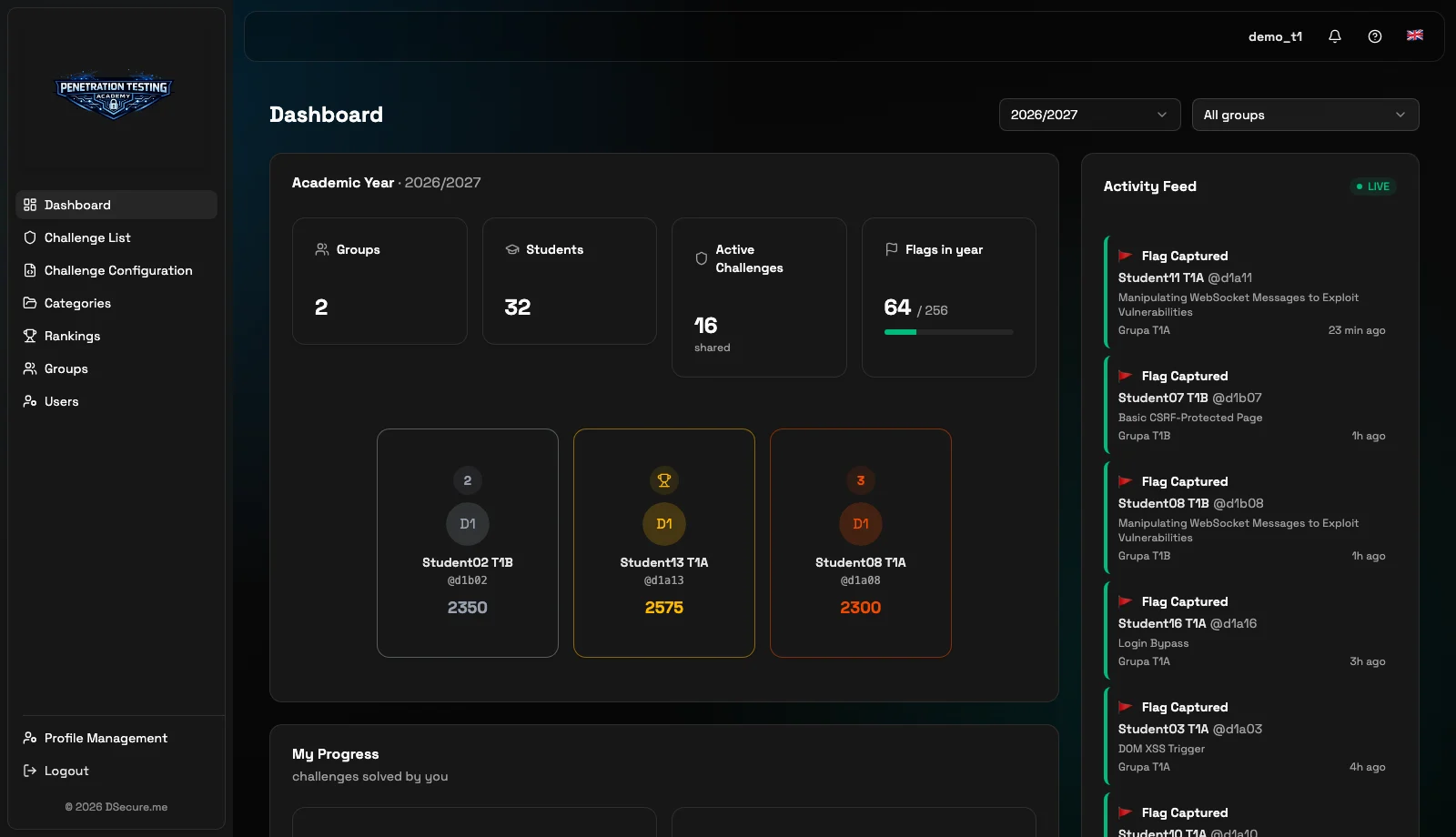
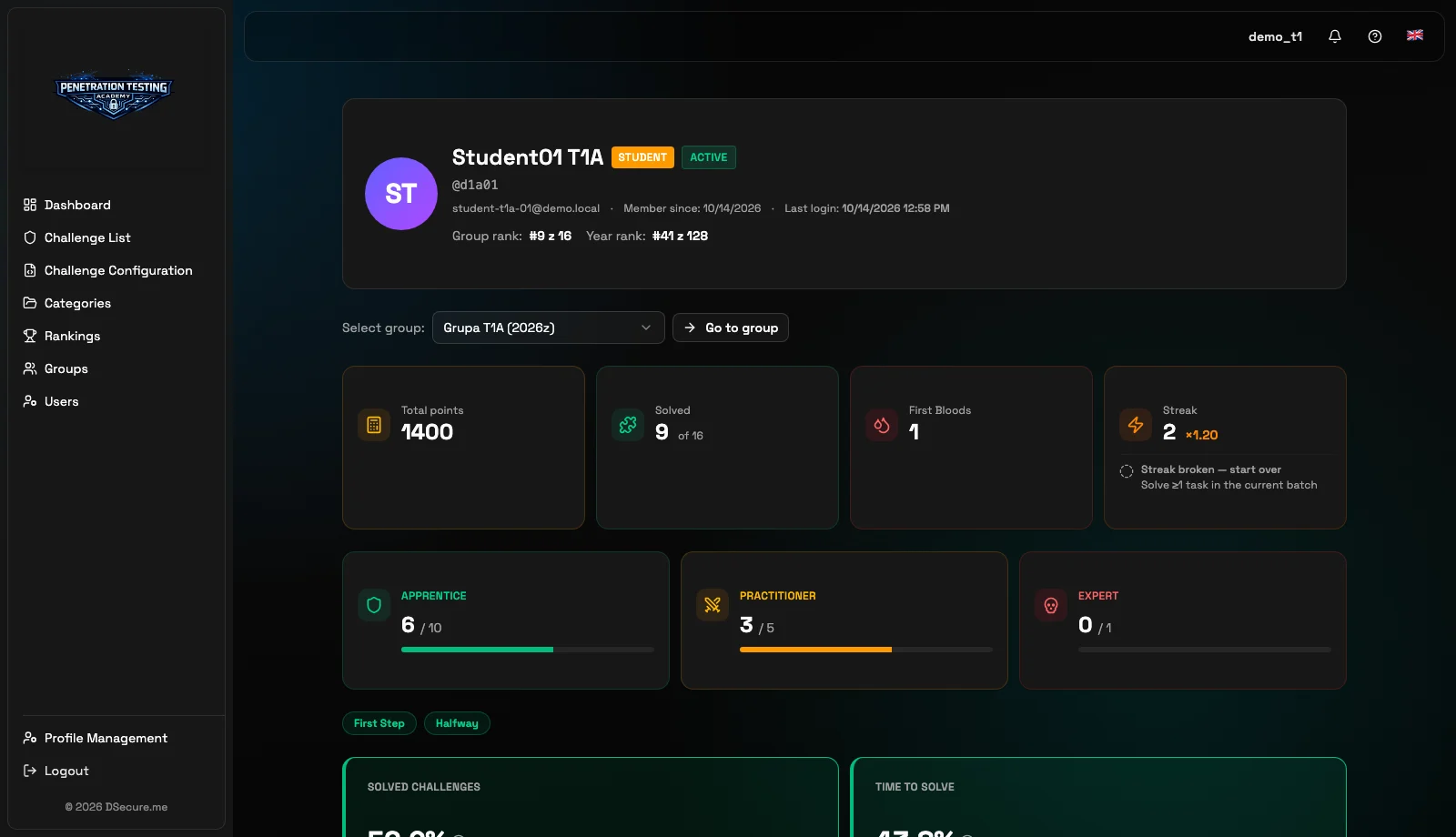
Lecturers design the curriculum, assign labs and monitor group progress. They can also open an individual participant profile to analyse KPIs, difficulty levels, ranking position and problem-solving pace.
Group dashboard
Participant profile and individual KPIs
02 / CAPABILITIES
PentestCamp connects course planning, lab delivery and progress analysis. Lecturers work in one process instead of moving data between separate tools.
Create groups, assign roles and set lab publication dates. The curriculum, participants and results remain connected in one view.
Use the growing lab catalogue or add your own exercises. Assign each scenario to a selected group and decide when it becomes available.
PentestCamp starts an isolated environment, generates a dynamic flag and gives each participant only the unique URL of their lab.
The event feed shows captured flags, first solutions and awarded badges. Lecturers can respond while the lab is still in progress.
Points, pace, difficulty levels, ranking position and activity history help lecturers assess progress and identify where support is needed.
Activity streaks, badges, rankings and first-solver recognition encourage consistent practice without replacing the learning objective.